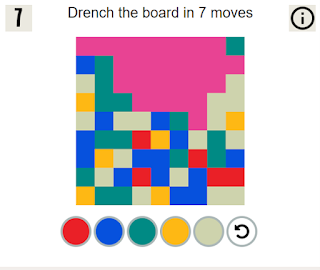
It's tough for a casual game designer at the moment because Adobe Flash is by far the most powerful game design tool for casual games, but it has one major issue: it doesn't work well with phones and tablets. With Apple devices, although you can use Flash to create an app, Flash doesn't run on the browser at all.
Hence a lot of Flash game designers are turning to HTML5, an emerging technology that works well on mobile and desktop. Unfortunately, it is MUCH harder to make a game using HTML5. HTML5 is good for simple games but a royal pain to use to create more complex games. You need many more lines of code and there is no visual editor available. It is also more difficult to protect your games using HTML5. I want my hard work to be featured on my own site and not some Russian scam site.
HTML5 does have one great feature. You can create a game 'canvas' that adapts to the player's screen size. For example, the same game can be played on mobile and desktop and the screen size will adapt. This is called responsive design and I have done it with this game:
www.flashbynight.com/religionquiz
However, again, changing the game's screen size means you can only use this method for very simple games.
So where does this leave a site like FlashByNight.com? A lot of people visit the site on a smartphone or tablet.
The only way ahead that I can see is to feature some simple games for all platforms, while the more complex games will remain desktop/laptop only. Hopefully then, no matter how people log on, they can still have fun... that's what games are all about.
Saturday, May 11, 2013
Saturday, March 23, 2013
Religion Quiz
I wanted to post a version of the quiz that the Pew Research institute carried out to test people on religious knowledge.
My version will keep a running average of scores and hopefully will be fun and easy to try!
This quiz is tablet and smartphone friendly.
Try it here:
http://www.flashbynight.com/religionquiz/
Screenshots:
My version will keep a running average of scores and hopefully will be fun and easy to try!
This quiz is tablet and smartphone friendly.
Try it here:
http://www.flashbynight.com/religionquiz/
Screenshots:
Labels:
quiz,
religion,
religion quiz,
smart at relgion,
trivia
Thursday, March 7, 2013
Tunemaster Redux
It's really high time to make some games and content available to people accessing Flash by Night with a mobile or tablet browser.
So for starters, I have redone the Tunemaster quiz in HTML5 so that it can be accessed on any size of screen. On a desktop, it should look and feel like a flash game, but the page will resize to be playable on a smaller screen.
It looks something like this on the desktop:
...and something like this on a smartphone:
For those who are interested in such things, I used the kineticjs library to create a resizable canvas to display the game and I applied responsive design techniques to both the html elements and the canvas. i will be posting some tutorials and other info soon.
So for starters, I have redone the Tunemaster quiz in HTML5 so that it can be accessed on any size of screen. On a desktop, it should look and feel like a flash game, but the page will resize to be playable on a smaller screen.
It looks something like this on the desktop:
...and something like this on a smartphone:
For those who are interested in such things, I used the kineticjs library to create a resizable canvas to display the game and I applied responsive design techniques to both the html elements and the canvas. i will be posting some tutorials and other info soon.
Saturday, February 23, 2013
Nintendo Harlem Shake
I just can't resist posting this one:
The Nintendo version of the Harlem Shake
Saturday, December 29, 2012
Splodge 2
Here's a new game. It's a fun and simple one with 25 levels. It's based on Splodge, and I just called it Splodge 2.
The gameplay is just like Splodge, but instead of each level getting faster and harder, each level brings a new challenge based on the basic premise.
The basic premise is this: Avoid the red guys and hit (splodge) the green guys!
Play Splodge 2 here: http://flashbynight.com/splodge2/
Screenshots:
The gameplay is just like Splodge, but instead of each level getting faster and harder, each level brings a new challenge based on the basic premise.
The basic premise is this: Avoid the red guys and hit (splodge) the green guys!
Play Splodge 2 here: http://flashbynight.com/splodge2/
Screenshots:
Labels:
avoider game,
cute game,
easy flash game,
simple game
Monday, November 5, 2012
PacMan Beyond
Introducing: PacMan Beyond.
In PacMan Beyond, the twist on the classic PacMan game is that the game scrolls as you play. You needn't eat all the dots, but you need to avoid all the ghosts to progress to the next level.
As with the original, eat power pills to turn the tables and munch the ghosts instead of them munching you. You will also discover jewels that give you extra points and stars that give you extra speed.
There are a few types of enemies, each with a unique behaviour pattern.
This game is meant to be a little easier than the original pacman where the ghosts would harass you non-stop. The enemies in this game give you a little more space, but as you level up, things will start to get more difficult.
Screenshots:
Wednesday, October 31, 2012
Resizing the HTML5 Canvas for different screen sizes
I've been doing some testing with the html5 canvas to fit it to different screen sizes. My idea is to apply responsive design techniques to the canvas, so that for game design, for instance, it looks good on any device screen size.
I thought I'd post some demos here. If anyone wants to grab the code, just right-click and view source: Remember to adjust your window size and see what happens.
www.flashbynight.com/demos/resizeme.html - resizes canvas to fit 80% of the screen width and height, displays height and width of canvas
www.flashbynight.com/demos/resizeme2.html - detects and displays whether canvas is square, portrait or landscape shaped
www.flashbynight.com/demos/resizeme3.html - removes and resizes three elements on the canvas according to screen size
I thought I'd post some demos here. If anyone wants to grab the code, just right-click and view source: Remember to adjust your window size and see what happens.
www.flashbynight.com/demos/resizeme.html - resizes canvas to fit 80% of the screen width and height, displays height and width of canvas
www.flashbynight.com/demos/resizeme2.html - detects and displays whether canvas is square, portrait or landscape shaped
www.flashbynight.com/demos/resizeme3.html - removes and resizes three elements on the canvas according to screen size
Subscribe to:
Posts (Atom)